
Fortune's Eden
Portable Windows build of the Eden-based Fortune's Weave fork line, assembled from xDarkWindx 1.12 and Duck912's forks with ports from Eglantine. The upstream README documents Windows 10/11 64-bit use and a Linux AppImage since version 1.6.8.2, plus a built-in frame rate mode that ships off by default. The project distributes emulator code and settings only and states that no games, keys or firmware are included.
- Windows
- Linux
Getting started
Download and extract
Download FEFW-Stable-60FPS-Portable.zip from the releases page and extract the whole folder somewhere outside Program Files.
Start and add your game
Run Fortune's Eden.exe and press Choose game folder to pick the folder holding your dump, or use File > Load File for a .nup. Since v1.7.5.6 the chooser accepts the parent folder of the game.
Bring your own files
The build needs your own copy of Fire Emblem: Fortune's Weave dumped from your console as exefs/romfs files or a .nup, plus your own keys and firmware. The repository provides none of these.
Press Play and tune
The home screen shows your game. Press Play. The 60 FPS mode is off by default: enable it under Settings > Graphics > 60 FPS mode or on the home screen, then restart the game. It is built for game version 1.1.0.
Mind the memory layout
The pre-tuned build reserves memory up front, so keep 16 GB of RAM and a large page file. If the game closes instantly at start, enlarge the page file and close heavy apps. Logs live under File > Open Eden Folders > Log Folder.
Download and start
Download Fortunes-Eden-linux-x86_64.tar.gz or the AppImage, extract, and run ./start-fortunes-eden.sh. Settings, saves and shader cache stay in the user folder beside it.
Add your keys
Put your dumped keys in user/keys.
Fallback for AppImages
If the AppImage will not start, install FUSE 2 (fuse2 or libfuse2) or run it with --appimage-extract-and-run.
Bring your own files
The build needs your own copy of Fire Emblem: Fortune's Weave dumped from your console, plus your own keys and firmware.
Know the Linux limits
NVIDIA DLSS and AMD FSR 4 are Windows only. AMD FSR 3.1 is the default upscaler on Linux.
Game compatibility
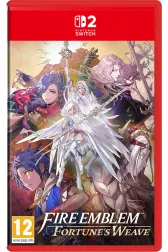
Support detail for each title lives on its game page, with its own last-checked date.
Overview
Fortune's Eden is a portable, ready-to-play Windows build targeting Fire Emblem: Fortune's Weave, published by TheSneakyBadger. The README describes it as a build of the Eden emulator fork line, based on xDarkWindx's 1.12 and Duck912's forks, with ports from Djihads80's Eglantine and fixes from PokeDinner. The project distributes emulator code and settings only, and the README states that no games, keys or firmware are included. A built-in 60 FPS mode ships off by default and is enabled through the graphics settings menu.
System and game requirements
- Windows 10/11 64-bit, or Linux via the AppImage
- a Vulkan-capable GPU
- 16 GB or more of RAM with a large page file, which the README puts at about 32 GB because of the game's memory layout
- your own dumped copy of Fire Emblem: Fortune's Weave as loose files or a .nup archive
Features described by the developer
- Per the project's own documentation: portable Windows 10/11 64-bit builds, with a Linux AppImage available since version 1.6.8.2
- a built-in 60 FPS mode, off by default and enabled through the graphics settings menu
- NVIDIA DLSS and AMD FSR 4 support on the Windows build, which the Linux AppImage does not include
- source archives published with every release under GPL-3.0-or-later
- automatic updates, with saves stored next to the executable
Related projects
- Active
Static recompilation project targeting Fire Emblem: Fortune's Weave for x86-64 Windows and Linux. The upstream README documents the Steam Deck route via Proton and Wine; build guidance is anchored to a commit for reviewability.
- Windows
- Linux
- Active
Independent Switch 2 emulator forked from Eglantine, which descends from the Eden, yuzu and Sudachi line. The upstream README reports Windows, Linux and macOS builds and names lichii.zortos.me as the only official website, used for per-game compatibility reports. Every release links to the upstream GitHub releases page.
- Windows
- Linux
- macOS
- Active
Switch 2 emulator for Android, called Lichii for Android until version 0.5.0 per the upstream README. The README documents an arm64 phone with Android 13 or newer and Vulkan 1.3, with tested device notes for Exynos Xclipse and Snapdragon Adreno hardware. APKs publish through the upstream GitHub releases page, including an android-latest pre-release rebuilt from every commit.
- Android


What do the status and evidence badges mean?
Status groups
| Public build | The project provides a directly downloadable Switch 2 build. |
|---|---|
| Early release | A public release with limited testing or known issues. |
| Experimental / source | A proof of concept, or a project you build yourself from source. |
| Demo | A small homebrew demo or a developer showcase. |
| Reference | Development information, runtime context or an auxiliary tool. |
Evidence levels
| developer_reported | The claim comes from the project's own documentation, changelogs or release notes. |
|---|---|
| project_focus | The project describes this as its goal. It is not necessarily working today. |
| unverified | We have not yet confirmed the claim from a primary source. |
Reported capabilities apply to the specific build and settings the project tested. A release sync on this site never re-verifies compatibility.